Home Contact Sitemap

Contact Support:

Support

Online Help Files:

SCX
SC6/12
SC24/36
CS3500
2-Wire Guide
Acclima manufactures the industry's only absolute, stable moisture sensors. The sensors work in all soil types from sand to heavy clay without calibration and are not affected by soil chemistry (salt).
|  Support   >   CS3500 Support

CS3500 Support

Frequently Asked Questions

Do you have a question about something? Read through our Frequently Asked Questions and click on them to find the answers you're looking for. Consult your user manual for additional information, most common questions are covered there.

If you don't find the answer to your general question below you can contact our support department at support@acclima.com

When will a sensor zone finish watering?

Question: I’ve noticed on my CS3500 that one zone watered last night and hit it’s maximum watering limit before it made it to the upper threshold and now it’s under a water restriction but in the “System View” it shows that the zone is “done watering”. Shouldn't’t it show “waiting for water”?

Or another way to ask this question is; when a sensor zone hits it’s maximum run time and the reading is between thresholds should it try at the next opportunity to reach the upper threshold or will it wait tell it gets back to the lower threshold?

Answer: A sensor zone on the CS3500 is done watering when:

  • 1. The sensor reaches the upper threshold Or
  • 2. The Maximum allowed watering duration has been reached
  • In case 2, the zone will also pause itself & prevent water for the percolation time period (1 hour minimum) even if the sensor is below the threshold. If the sensor is between the thresholds, then the zone will not water again until the sensor crosses the lower threshold. This method allows you to set up the system to water on-demand, but always put down a specified amount (say ½ inch) of water. This can be accomplished by setting the max run time as desired, and setting the upper threshold very high.

    How far can a sensor be from the solenoid it is connected to?

    There are two things to consider:

    1. Deliver enough power to the solenoid. This depends on the gauge of the wire used. If using 14 AWG wire, the wire length could be up to 3000 feet. 22 AWG wire would have to be 500 feet or less.

    2. Two-wire system limitations.

    a. Total Active wire on the system must be less than 10000 feet.

    b.No active wire length can exceed 4000 feet distance from the controller.

    Active wire includes the two-wire system, plus any valve wires that are currently active.

    How are the pumps connected to the 2-Wire system

    Use zone adapters (valve decoder). Each zone adapter (valve decoder) may be individually configured as a:

  • Zone Switch
  • Master Valve
  • Emergency cut-off valve (normally open master valve)
  • Pump start relay
  • Pump Filter Back-flush
  • For pumps specifically, use a relay that is activated with 24 VAC. Your relay contacts should be rated to handle the power load required by the pump. Pump start relays are very common in the irrigation industry and many suitable relays should be available at local distributors. Also, our system does not support relays or valves that consume greater than 600mA current.

    can a program be set so only one zone irrigation at a time, (due to pump activity), even when operating in water on demand mode?

    There is a global setting to restrict the maximum number of zones between 1 and 4. Furthermore, careful settings of zone flow rate requirements can refine this further, making large zones irrigate alone, and smaller zones irrigate together when needed.

    What effect does automatic back flush of filters and the resulting flow/pressure drop ave on the operation of the controller (program)?

    Flow and pressure thresholds may be set to a level that ignores the effects of automatic back flush. It depends on your system and what the water requirements of the back flush are. The controller cannot be programmed to ignore flow readings periodically. If you use the back flush capabilities built into the controller, the controller will automatically back flush after every X minutes of operation. Also, flow and pressure checks can be turned off in the controller – but then they will never be used. Another method would be to restrict watering periodically while the system performs the back flush on a timer. The disadvantage would be that restrictions are set on a half-hour interval, so watering would have to remain off for an entire half-hour.

    How many sensors can the system accommodate?

    Originally the CS3500's power capacity supported 10 sensors for irrigation purposes. However, since January 2007 the Digital TDT® sensors are smaller and have low power consumption allowing up to 64 sensors.

    Connecting Irrigation Manager™ Software

    Distance is approx. 1 km. Line of sight. E.g. What is the RCT Commander? Is it license free 900MHz radio? How much does it cost and where does it need to be sourced? Does the Serial Port Extender Kit convert the RS 232 port to RS 485 to allow 1mile cable length? For both systems what is required at the computer end?

    The TRC commander only allows radio access for manual valve control. It is used for maintenance purposes and will not interface the software to your controller. More information about the TRC Commander:

    The serial extender kit comes with two pieces, a controller end and a computer end. These must be attached using standard CAT-5 network cable. The cable and RJ connectors are not provided, but are simple to install on-site. The end result is a RS-232 serial connection some distance from the controller that behaves as if you were plugging directly into the controller.

    Change out the controller without configuring it?

    TRANSFERRING THE CONFIGURATION FROM ONE SC3500 CONTROLLER TO ANOTHER

    In the connect to controller screen in Irrigation Manager right mouse-click on the controller you want to change and select Replace Controller. Follow the directions as prompted.

    What is the range of soil moisture that the sensor can record?

    The sensor will read 0% in air, and 100% when submerged in a bucket of water. If the sensor rods are submerged 1/2 way, the reading will be 50%.

    The sensor works by measuring the propagation time of an electromagnetic wave. This propagation time is dominated by water, but can be affected to some small degree by other materials as well. Completely dry soil (which may require some baking) may read somewhere between 0 and 2%, depending on the soil composition. Typically, dry soil will read less than 0.5%.

    Is it possible to connect the sensors to a data logger

    Not at present with the 2-Wire sensor. The communications interface is proprietary, and designed to support standard turf irrigation systems. We have plans for agricultural products that may provide that capability in the future.

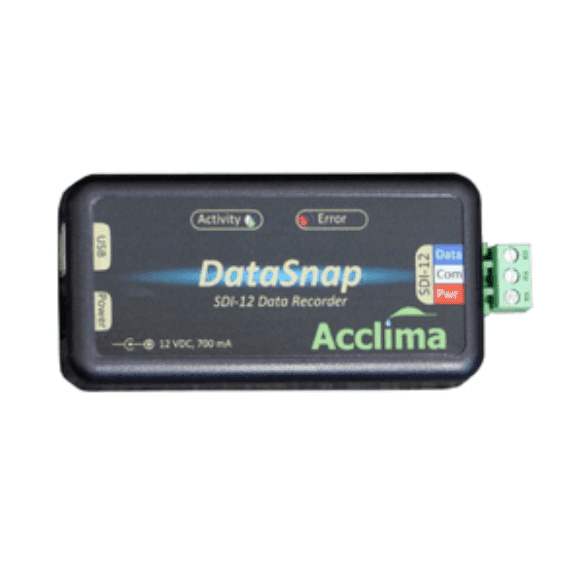
    However; the SDI-12 version of the sensor is able to connect with any device using the SDI-12 protocol.

    Battery and solar panel?

    We don't really recommend Battery power. Future products will be designed to better support solar and battery operation (again with the Agricultural products). Battery/Solar operation would be possible with a 120-Watt solar panel and a few reliable deep cycle batteries coupled with a battery charger and an efficient pure-sine-wave power inverter. I did a quick Goggle search and found a web site http://store.solar-electric.com/ that has solar panels, deep cycle batteries, battery chargers, power inverters, etc. I don't know if the inverters at this site are pure-sine, but you can find those at www.invertersrus.com

    60 Watts is the average continuous power consumption of the controllers and sensors. Here are some useful equations:

    Watts = Volts X Amps

    Watt Hours (this measures capacity) = Watts X Hours of operation Amp Hours (also measures capacity) = Load in Amps X Hours of operation Watt Hours = Volts X Amp Hours Kilowatt hours (you see this on your power bill) = Watt hours / 1000

    Abbreviations:

    Volts = V

    Amps = A

    Watts = W (sometimes shown as VA)

    Amp Hours = Ah

    Watt Hours = Wh

    Kilowatt hours = kWh

    Can you start the system, have it go through a manual cycle, and then revert to standard auto operation?

    We do support that feature. Here’s how:

    Setup a manual program that waters each desired zone for the required amount of time. Set the first step as a delay for the desired delay interval. If the desired delay interval is longer than 18 hours, then use multiple delay steps at the beginning of the manual program. This will hold the system off until the delay has passed, water each zone in the manual program, and then resume automatic mode. The drawback to this is that the system will not be in automatic mode while waiting for the delay interval – but still accomplishes the same purpose.

    Do the controllers ave a 24V transformer build in or are they 110-115V?

    Yes, our controllers have a 24V transformer built in. Yes, they operate on 110V. This is stepped down to 24V by the transformer to operate the valves.

    What is a checksum error and how do you fix it?

    Checksum errors are usually caused when there are two or more devices on a system with the same address. This can happen when you wire a new device onto a system that has been used in another system and already has addresses programmed into it.

    For example you may have a sensor on your system that uses address 5 and you wire on a previously used sensor that uses address 7 for the sensor and address 5 for its valve switch. When you configure the newly installed sensor the address 7 will be reprogrammed to a new unused address. But if you fail to configure the switch the ‘5’ address in the switch will respond whenever you take a reading from the old sensor that has that same address. The controller then receives conflicting responses from the two devices and logs a checksum error.

    To fix this click on the ‘Refresh Addresses’ button in the ‘Configure Devices’ screen in the Irrigation Manager Software. That will go through all the addresses and insure that there is only one device on the system for each address that has been configured. Devices that are wired onto the system that have been previously configured on other systems but are not configured in the new system will have their unused addresses erased.

    When re-using a device from another system you should use the “Remove Device’ button in the software before you unwire the device from the old system. That will erase the address in the device as well as remove it from the controller. Then when you install the device into a new system it will appear as a factory fresh device with no addresses programmed and will not cause errors on the new system.

    How should you remove a device from the system?

    When re-using a device from another system you should use the “Remove Device’ button in the software before you unwire the device from the old system. That will erase the address in the device as well as remove it from the controller. Then when you install the device into a new system it will appear as a factory fresh device with no addresses programmed and will not cause errors on the new system.

    Transferring the configuration from one controller to another.

    Here is the procedure for transferring a configuration from one controller to another. Incidentally, this same basic procedure can be used to create backups of your controller’s configuration to protect against accidental changes or loss of configuration information. If the controller serial numbers are the same in the backup and restore operations, then Advanced Mode is not required.

    Create the Configuration Backup:

    1. Using Irrigation Manager Software, Open the controller connection that you would like to transfer FROM. Offline mode is ok if the configuration data is up to date.
    2. From the File menu, choose “File” -> “Export Configuration…”
    3. Press the “Save Location” button and choose where you would like to save the configuration, name the configuration file in the box labeled “File name”, and press “Save”
    4. Click “Finish”. Do not check the Save Error, Watering History, and Sensor History Logs, unless you are willing to spend a very long time transferring the configuration including historical data.
    5. You have now created a backup of your configuration file. This can be used to restore the configuration on this controller at a later date, or can be transferred to another replacement controller.

    Enter Advanced Mode:

    If you are transferring the configuration from one controller to another, the Irrigation Manager Software must be in advanced mode first. Once the transfer is complete, it is recommended to take the software back out of advanced mode to help prevent accidental modification of calibration information in the controller that should not be altered. To move the software in an out of advanced mode:

    1. Run the Irrigation Manager software. Close it and re-run if it is already running.
    2. While the software starts, quickly double-click on the upper right corner of the splash screen. If a toolbox with the text “Advanced Mode” shows up, you have successfully entered advanced mode. Advanced mode will remain until you turn it off – even if you reboot your computer.
    3. Double-click the same area of the splash screen to turn advanced mode off. (after you are done with everything)

    Restore the Configuration Backup

    Connect to the controller that the configuration needs to be transferred TO. This must be a live connection, offline is not adequate. Serial port connection is recommended to decrease possibility for error, but not required.

    1. From the File menu choose “File” -> “Import Configuration…”
    2. Press the “Config File” button, browse to find your configuration backup, and press “Open”
    3. A warning will pop-up if you are not connected to the same controller that created the configuration backup file. If you are not in Advanced mode, you will not be able to proceed if this is the case.
    4. Press the “Finish” button and wait for the transfer to complete.
    Conserve water our planet's most important resource by installing an Acclima Closed Loop® Irrigation System.